
Acode - Terminal & AI Coding
Last update -----
Скачать позже
Найти все материалы
Нужен мод
Нужен оригинал Пожаловаться
Overview Authors 0
Discussion 1
Open-source code editor for Android
Acode is an open-source code editor and web IDE designed for Android devices. It provides a comprehensive environment for editing projects, managing files, and developing web applications directly from your phone or tablet. With support for over 100 programming languages, multi-file editing, and a command palette, Acode offers a professional-grade editing experience on the go.
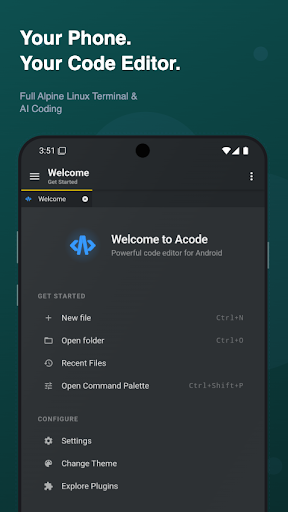
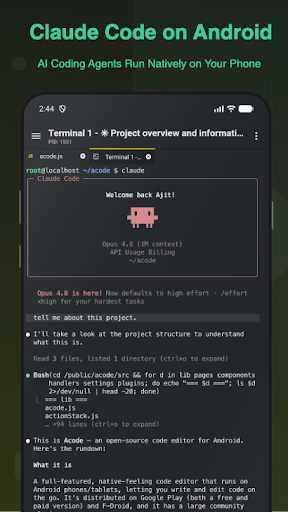
The app includes a built-in Alpine Linux terminal powered by proot, allowing you to run command-line tools without root access. You can install packages via apk, manage multiple terminal tabs, and customize your shell. This terminal, combined with the plugin ecosystem, enables AI-assisted coding, JavaScript and web development with Node.js and npm, and remote server management via SSH and FTP.
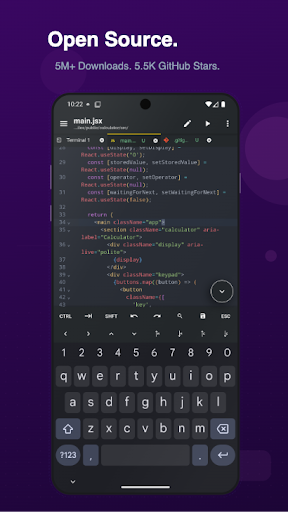
Acode supports Git workflows, including clone, commit, push, pull, and branch management, as well as GitHub integration for project sync. The editor features syntax highlighting, code completion via LSP plugins, Emmet support, and live preview for HTML and Markdown. You can extend functionality with community plugins from the in-app Plugin Store, such as language servers, themes, and build tools.
Acode is free and open source under the MIT license. A pro version is available with ad removal and premium themes. It requires Android 7.0 or higher. Whether you're a beginner or a professional developer, Acode provides a powerful and flexible coding environment for Android.
The app includes a built-in Alpine Linux terminal powered by proot, allowing you to run command-line tools without root access. You can install packages via apk, manage multiple terminal tabs, and customize your shell. This terminal, combined with the plugin ecosystem, enables AI-assisted coding, JavaScript and web development with Node.js and npm, and remote server management via SSH and FTP.
Acode supports Git workflows, including clone, commit, push, pull, and branch management, as well as GitHub integration for project sync. The editor features syntax highlighting, code completion via LSP plugins, Emmet support, and live preview for HTML and Markdown. You can extend functionality with community plugins from the in-app Plugin Store, such as language servers, themes, and build tools.
Acode is free and open source under the MIT license. A pro version is available with ad removal and premium themes. It requires Android 7.0 or higher. Whether you're a beginner or a professional developer, Acode provides a powerful and flexible coding environment for Android.
Screenshots
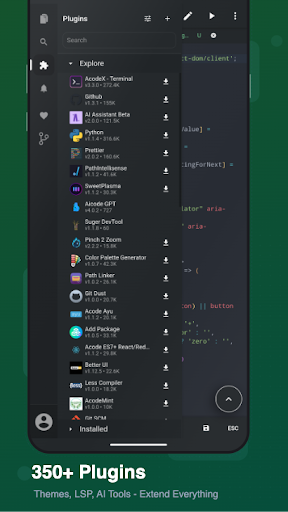
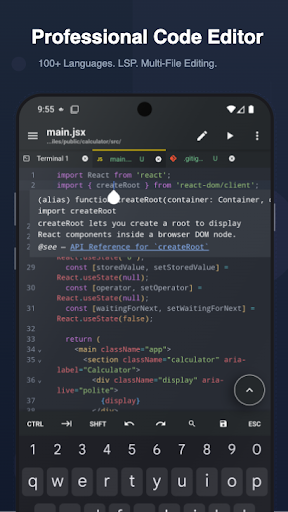
Download Acode - Terminal & AI Coding
No builds here yet
No builds yet. Upload yours first and earn from every download — it's easier than you think.

PRO Modder
Bubalex88
166
Builds
13
Subscribers
6
Level

PRO webdev
Shaman[Dev]
76
Builds
8
Subscribers
3
Level

PRO Modder
SliderEXE
13
Builds
0
Subscribers
1
Level
PRO Modder
A.F
4
Builds
0
Subscribers
0
Level

Modder
XaView
1
Builds
0
Subscribers
0
Level

User
JoelDroid
2
Builds
0
Subscribers
0
Level
User
user_908973
2
Builds
0
Subscribers
0
Level
User
Shiro & K
1
Builds
0
Subscribers
0
Level
Tech info
Updated
-----
Version
1.13.2 (962)
CPU
Minimum Android version
24
Size
0 Байт
OpenGL
----
Downloads
8.07 K
Developer
Foxbiz Software Pvt. Ltd.
Views today
2