
All Call Recorder
Last update -----
Скачать позже
Найти все материалы
Нужен мод
Нужен оригинал Пожаловаться
Overview Authors 0
Discussion 0
Automatic call recording and management
Call Recorder Automatic 2 is a powerful and versatile call recording application for Android. It allows you to automatically record incoming and outgoing calls, ensuring you never miss important details of a conversation. Whether it's a business call or a personal chat, this app has you covered.
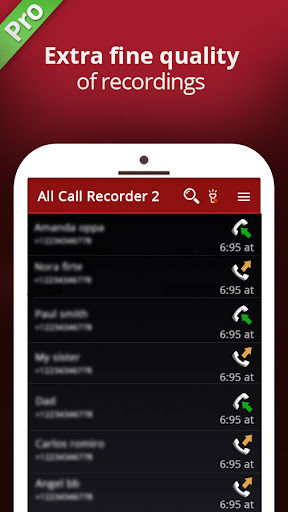
The app offers a range of features to enhance your recording experience. You can set up a whitelist to record only specific calls and ignore others, listen to recordings, add notes, and share them. The recordings are synchronized to the cloud and stored in a list and calendar format for easy access. The mini view lets you control recordings without interrupting your screen.
Using Call Recorder Automatic is straightforward. Once installed, it runs in the background. When you make or receive a call, recording starts automatically once the call connects. You can then access the list of recordings within the app and play them back. The app supports various audio formats like WAV, 3GPP, MP4, and AMR.
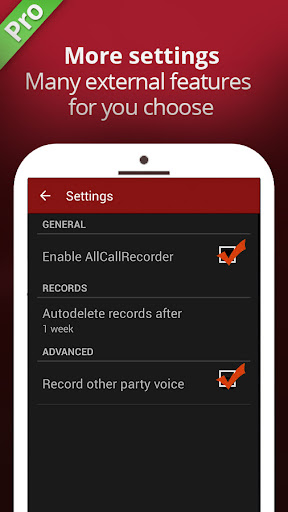
While the app is designed to work on most devices, some may not support call recording due to hardware or software limitations. If you encounter issues, try restarting your device or adjusting settings such as audio source or sample rate. With its intuitive interface and robust features, Call Recorder Automatic is an essential tool for anyone who wants to keep a record of their conversations.
The app offers a range of features to enhance your recording experience. You can set up a whitelist to record only specific calls and ignore others, listen to recordings, add notes, and share them. The recordings are synchronized to the cloud and stored in a list and calendar format for easy access. The mini view lets you control recordings without interrupting your screen.
Using Call Recorder Automatic is straightforward. Once installed, it runs in the background. When you make or receive a call, recording starts automatically once the call connects. You can then access the list of recordings within the app and play them back. The app supports various audio formats like WAV, 3GPP, MP4, and AMR.
While the app is designed to work on most devices, some may not support call recording due to hardware or software limitations. If you encounter issues, try restarting your device or adjusting settings such as audio source or sample rate. With its intuitive interface and robust features, Call Recorder Automatic is an essential tool for anyone who wants to keep a record of their conversations.
Screenshots
Download All Call Recorder
No builds here yet
No builds yet. Upload yours first and earn from every download — it's easier than you think.

PRO Modder
Bubalex88
173
Builds
15
Subscribers
6
Level

PRO webdev
Shaman[Dev]
76
Builds
8
Subscribers
3
Level

PRO Modder
SliderEXE
14
Builds
0
Subscribers
1
Level
PRO Modder
A.F
4
Builds
0
Subscribers
0
Level

Modder
XaView
1
Builds
0
Subscribers
0
Level

User
JoelDroid
2
Builds
0
Subscribers
0
Level
User
user_908973
2
Builds
0
Subscribers
0
Level
User
Shiro & K
1
Builds
0
Subscribers
0
Level
{%lang-empty-page%}
{%lang-empty-page-text%}
{%lang-empty-page-text-2%}
Tech info
Updated
-----
Version
3.1' (80)
CPU
Minimum Android version
21
Size
20.49 MB
OpenGL
----
Downloads
27
Developer
Starbox
Views today
6