
Ampere
Last update -----
Скачать позже
Найти все материалы
Нужен мод
Нужен оригинал Пожаловаться
Overview Authors 0
Discussion 0
Monitor battery charging current
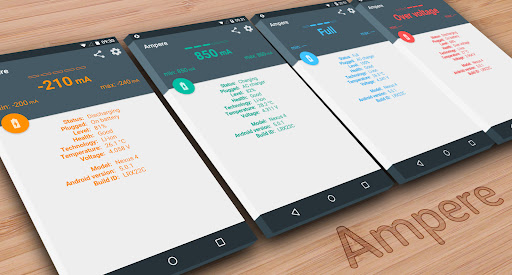
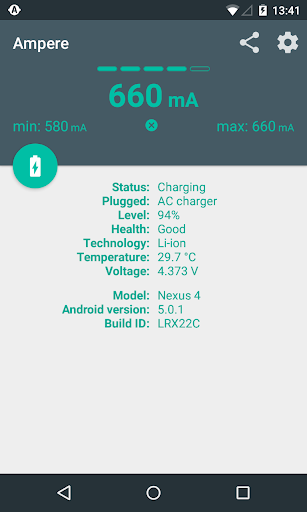
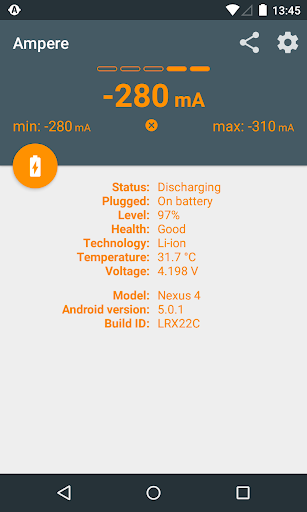
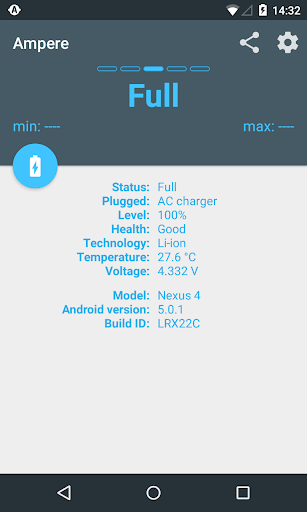
This app helps you measure the charging and discharging current of your device's battery. Have you ever noticed that one charger or USB cable charges your phone much faster than another? With this tool, you can compare different charger and cable combinations to see which one performs best for your device. The app displays the current in milliamps, giving you a clear idea of how efficiently your battery is being charged or discharged.
To use the app, simply start it and wait about 10 seconds. The charging or discharging current will then be displayed. The current depends on many factors, including the charger type, USB cable, phone model, running tasks, display brightness, WiFi and GPS states. While the readings may not be perfectly accurate, they are good enough to relatively compare how various chargers and cables perform on the same device. Please note that not all devices are supported due to hardware limitations.
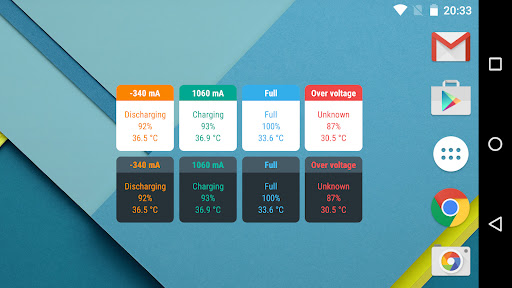
The app also offers pro features such as widgets, notifications, and alerts on your device or Android Wear. If the app shows 0mA all the time, you can try the old measurement method in settings. Some Samsung devices may not provide correct values due to firmware issues. For best results, avoid using the readings as precise scientific data, but rather as a tool for comparison.
Keep in mind that LiPo batteries don't draw maximum current throughout the entire charging cycle. As the battery fills up, the charging current decreases. So if your battery is almost full, the current will be much lower than at lower levels. This app is designed to help you get a better understanding of your charging setup and make informed decisions about which charger and cable to use.
To use the app, simply start it and wait about 10 seconds. The charging or discharging current will then be displayed. The current depends on many factors, including the charger type, USB cable, phone model, running tasks, display brightness, WiFi and GPS states. While the readings may not be perfectly accurate, they are good enough to relatively compare how various chargers and cables perform on the same device. Please note that not all devices are supported due to hardware limitations.
The app also offers pro features such as widgets, notifications, and alerts on your device or Android Wear. If the app shows 0mA all the time, you can try the old measurement method in settings. Some Samsung devices may not provide correct values due to firmware issues. For best results, avoid using the readings as precise scientific data, but rather as a tool for comparison.
Keep in mind that LiPo batteries don't draw maximum current throughout the entire charging cycle. As the battery fills up, the charging current decreases. So if your battery is almost full, the current will be much lower than at lower levels. This app is designed to help you get a better understanding of your charging setup and make informed decisions about which charger and cable to use.
Screenshots
Download Ampere
No builds here yet
No builds yet. Upload yours first and earn from every download — it's easier than you think.

PRO Modder
Bubalex88
174
Builds
17
Subscribers
6
Level

PRO webdev
Shaman[Dev]
76
Builds
9
Subscribers
3
Level

PRO Modder
SliderEXE
17
Builds
0
Subscribers
1
Level
PRO Modder
A.F
4
Builds
0
Subscribers
0
Level

Modder
XaView
1
Builds
0
Subscribers
0
Level

User
Kgg
2
Builds
0
Subscribers
0
Level
User
user_908973
2
Builds
0
Subscribers
0
Level
User
Shiro & K
2
Builds
0
Subscribers
0
Level
User
CUREseDkiD
0
Builds
0
Subscribers
0
Level
{%lang-empty-page%}
{%lang-empty-page-text%}
{%lang-empty-page-text-2%}
Tech info
Updated
-----
Version
v4.36.1 (291)
CPU
Minimum Android version
23
Size
17.01 MB
OpenGL
----
Downloads
23.92 K
Developer
Brain_trapp
Views today
9