
ArcSite: CAD & Floor Plans
Last update -----
Скачать позже
Найти все материалы
Нужен мод
Нужен оригинал Пожаловаться
Overview Authors 0
Discussion 0
Mobile CAD for field drawings and estimates
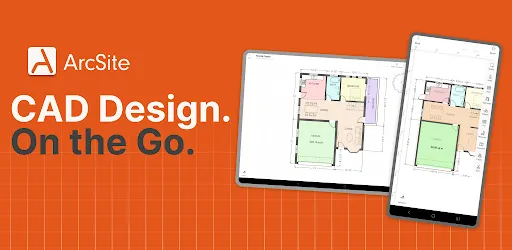
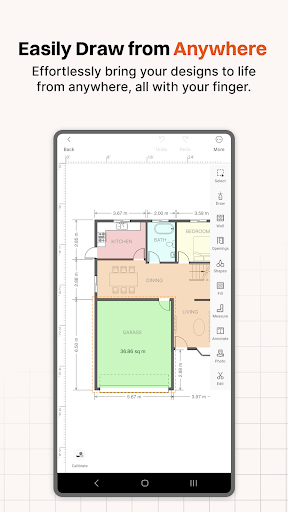
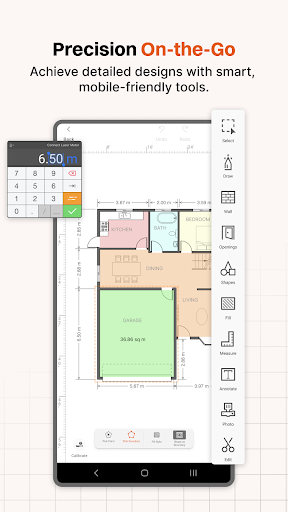
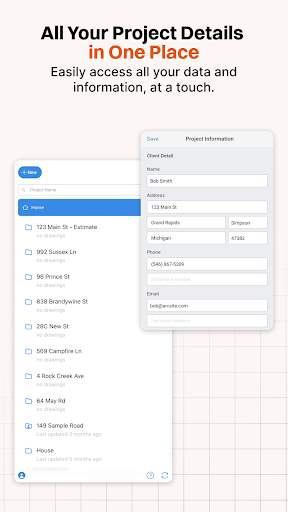
ArcSite is a mobile CAD solution that lets you create accurate drawings directly from your phone or tablet. Sketch floor plans, measure spaces, mark up blueprints, and share clear plans without opening desktop software. It is designed for on-site work, so you can draw, measure, and finalize projects from anywhere.
The app is used by residential and commercial contractors, remodelers, inspectors, estimators, architects, designers, and field teams in HVAC, electrical, plumbing, fencing, landscaping, and foundation repair. ArcSite is perfect for drawing floor plans and site layouts, planning remodels, marking up PDFs and aerial imagery, sharing drawings with clients and teammates, running takeoffs, generating material lists, creating estimates and proposals, and adding job-site photos to your plans.
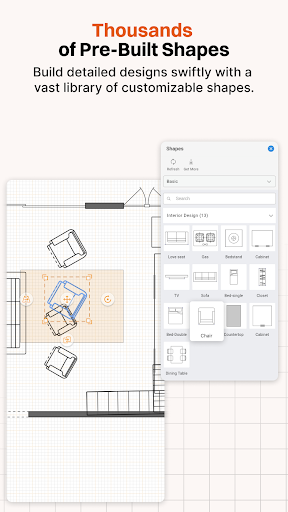
ArcSite helps you save time on every job by speeding up drawings, measurements, and estimates. It turns rough ideas and site notes into professional CAD drawings that clients and teams can understand. You can work from anywhere, draw on-site, finish in the truck, and share instantly. The app includes over 1,500 built-in shapes, custom shape libraries, PDF and image import, export to PDF, PNG, DXF, or DWG for AutoCAD and Revit handoff, and tools for takeoff and material calculations. Your project data is protected with SOC 2 Type II compliance and ISO/IEC 27001 certification.
Start with a free forever plan or a 14-day free trial on premium plans. To continue after your trial, purchase a monthly or annual subscription (Draw Basic, Draw Pro, Takeoff, or Estimate). Each tier offers different features, with details available in-app. Payment is charged to your Google Account at confirmation of purchase, and subscriptions renew automatically unless auto-renew is turned off at least 24 hours before the current period ends. You can manage subscriptions or turn off auto-renewal in Account Settings after purchase. Unused portions of a free trial are forfeited upon subscription purchase.
The app is used by residential and commercial contractors, remodelers, inspectors, estimators, architects, designers, and field teams in HVAC, electrical, plumbing, fencing, landscaping, and foundation repair. ArcSite is perfect for drawing floor plans and site layouts, planning remodels, marking up PDFs and aerial imagery, sharing drawings with clients and teammates, running takeoffs, generating material lists, creating estimates and proposals, and adding job-site photos to your plans.
ArcSite helps you save time on every job by speeding up drawings, measurements, and estimates. It turns rough ideas and site notes into professional CAD drawings that clients and teams can understand. You can work from anywhere, draw on-site, finish in the truck, and share instantly. The app includes over 1,500 built-in shapes, custom shape libraries, PDF and image import, export to PDF, PNG, DXF, or DWG for AutoCAD and Revit handoff, and tools for takeoff and material calculations. Your project data is protected with SOC 2 Type II compliance and ISO/IEC 27001 certification.
Start with a free forever plan or a 14-day free trial on premium plans. To continue after your trial, purchase a monthly or annual subscription (Draw Basic, Draw Pro, Takeoff, or Estimate). Each tier offers different features, with details available in-app. Payment is charged to your Google Account at confirmation of purchase, and subscriptions renew automatically unless auto-renew is turned off at least 24 hours before the current period ends. You can manage subscriptions or turn off auto-renewal in Account Settings after purchase. Unused portions of a free trial are forfeited upon subscription purchase.
Screenshots

Download ArcSite: CAD & Floor Plans
No builds here yet
No builds yet. Upload yours first and earn from every download — it's easier than you think.

PRO Modder
Bubalex88
179
Builds
19
Subscribers
6
Level

PRO webdev
Shaman[Dev]
76
Builds
11
Subscribers
3
Level

PRO Modder
SliderEXE
18
Builds
2
Subscribers
1
Level
PRO Modder
A.F
4
Builds
1
Subscribers
0
Level

User
Kgg
2
Builds
1
Subscribers
0
Level
User
user_908973
2
Builds
1
Subscribers
0
Level
User
Shiro & K
2
Builds
1
Subscribers
0
Level

Modder
XaView
1
Builds
1
Subscribers
0
Level

User
CUREseDkiD
1
Builds
0
Subscribers
0
Level
{%lang-empty-page%}
{%lang-empty-page-text%}
{%lang-empty-page-text-2%}
Tech info
Updated
-----
Version
5.56.0 (474)
CPU
Minimum Android version
API 0
Size
389.51 MB
OpenGL
----
Downloads
21
Developer
ArcSite
Views today
12