CrossStitch Editor Pro
Last update -----
Скачать позже
Найти все материалы
Нужен мод
Нужен оригинал Пожаловаться
Overview Authors 0
Discussion 0
Create and edit cross stitch patterns
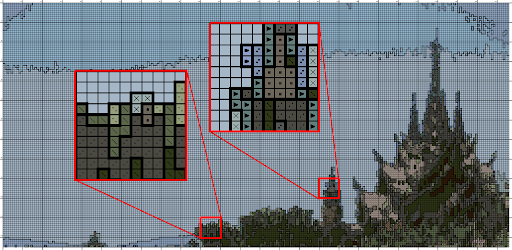
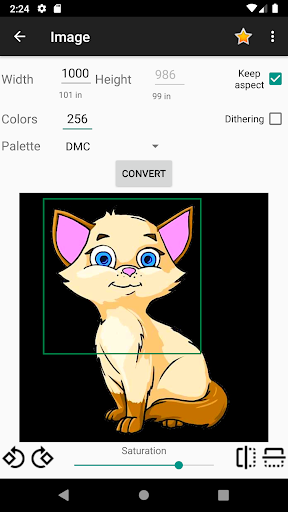
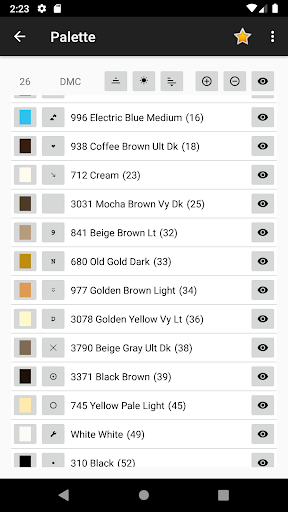
This app is a powerful tool for creating and editing cross stitch patterns and pixel art designs. You can start from scratch with a blank canvas or convert any image into a cross stitch pattern. The app supports popular floss color palettes such as DMC, Anchor, Gamma, Cosmo, J&P Coats, Madeira, Paterna, and Silk Mori, allowing you to work with the colors you already own.
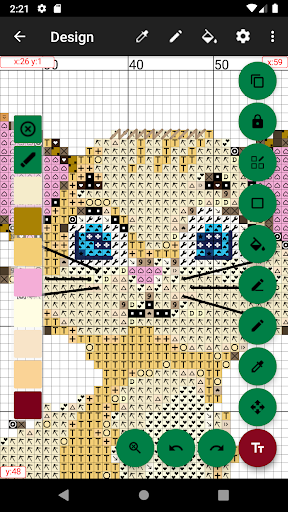
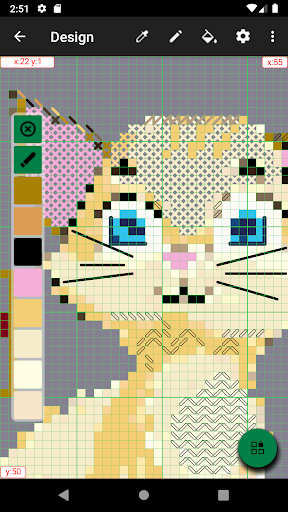
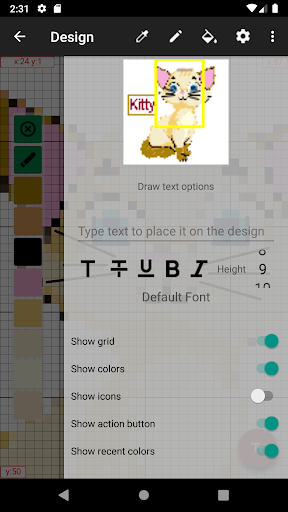
The editor offers a wide range of features to bring your designs to life. You can change stitch colors, edit stitch types, fill areas, draw shapes and lines, and add text. Both backstitches and halfstitches are supported. With a maximum canvas size of 9999 x 9999 and up to 256 colors, you have plenty of space for detailed projects.
Designed for convenience, the app lets you stitch directly from your device screen. You can control color visibility and mark completed areas to keep track of your progress. The color palette can be customized, including changing color icons and sorting options. Several modes for selecting colors and icons make the editing process smooth.
When you're ready to print or share your pattern, you can export it as an image or PDF file. The app also supports importing Pattern Maker .xsd files, making it easy to work with existing patterns. Whether you're a beginner or an experienced stitcher, this app provides all the tools you need to create beautiful cross stitch designs.
The editor offers a wide range of features to bring your designs to life. You can change stitch colors, edit stitch types, fill areas, draw shapes and lines, and add text. Both backstitches and halfstitches are supported. With a maximum canvas size of 9999 x 9999 and up to 256 colors, you have plenty of space for detailed projects.
Designed for convenience, the app lets you stitch directly from your device screen. You can control color visibility and mark completed areas to keep track of your progress. The color palette can be customized, including changing color icons and sorting options. Several modes for selecting colors and icons make the editing process smooth.
When you're ready to print or share your pattern, you can export it as an image or PDF file. The app also supports importing Pattern Maker .xsd files, making it easy to work with existing patterns. Whether you're a beginner or an experienced stitcher, this app provides all the tools you need to create beautiful cross stitch designs.
Screenshots
Download CrossStitch Editor Pro
No builds here yet
No builds yet. Upload yours first and earn from every download — it's easier than you think.

PRO Modder
Bubalex88
165
Builds
11
Subscribers
6
Level

PRO webdev
Shaman[Dev]
75
Builds
8
Subscribers
3
Level

PRO Modder
SliderEXE
13
Builds
0
Subscribers
1
Level
PRO Modder
A.F
4
Builds
0
Subscribers
0
Level

Modder
XaView
1
Builds
0
Subscribers
0
Level

User
JoelDroid
2
Builds
0
Subscribers
0
Level
User
user_908973
2
Builds
0
Subscribers
0
Level
User
Shiro & K
1
Builds
0
Subscribers
0
Level
{%lang-empty-page%}
{%lang-empty-page-text%}
{%lang-empty-page-text-2%}
Tech info
Updated
-----
Version
2.4.2 (0)
CPU
Minimum Android version
21
Size
0 Байт
OpenGL
----
Downloads
7.27 K
Developer
Serjth
Views today
1