Microsoft Whiteboard
Last update -----
Скачать позже
Найти все материалы
Нужен мод
Нужен оригинал Пожаловаться
Overview Authors 0
Discussion 0
Collaborative infinite canvas for teams
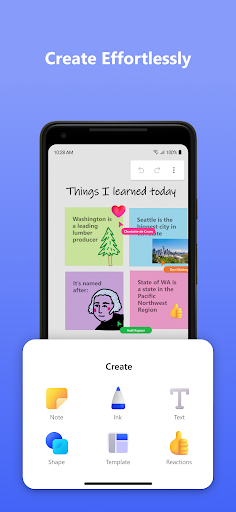
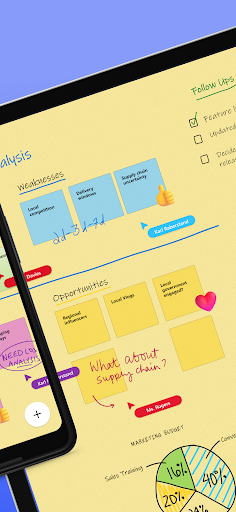
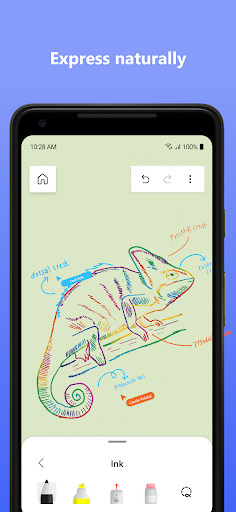
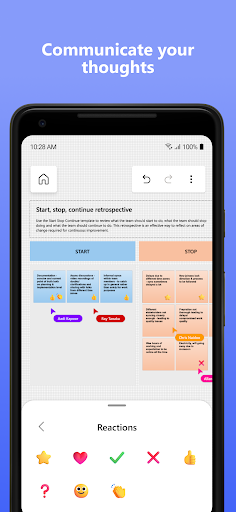
Microsoft Whiteboard is a freeform digital canvas where individuals and teams can ideate, create, and collaborate visually through the cloud. Designed for touch, pen, and keyboard, it allows you to write or draw as smoothly as with ink, add text, sticky notes, or notes grids to capture ideas, and use reactions for quick visual feedback. The infinite canvas gives your imagination room to grow, with intelligent inking that transforms doodles into polished shapes and lines, plus a library of customizable templates and shapes to jumpstart any project.
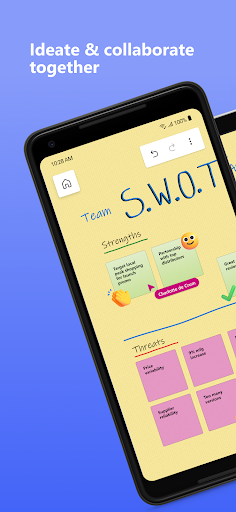
Collaboration is at the heart of the experience. Team members working from their own devices across the globe can edit the same board in real time, seeing each other’s actions instantly. This brings everyone onto the same page, whether you’re brainstorming, planning, or problem-solving together. The interface is streamlined and touch-first, maximizing canvas space while keeping tools unobtrusive.
Your work is saved automatically to the Microsoft cloud, so there’s no need to photograph boards or worry about losing ideas. Pick up right where you left off on any device, whenever inspiration strikes. The latest update adds personal Microsoft account support, a modern look, a creation gallery for easy access to features, over 40 new templates, reactions, copy/paste, object alignment, background formatting, and expressive ink arrows and effect pens. Microsoft Whiteboard provides the right tools for every use case, keeping your ideas safe and accessible.
Collaboration is at the heart of the experience. Team members working from their own devices across the globe can edit the same board in real time, seeing each other’s actions instantly. This brings everyone onto the same page, whether you’re brainstorming, planning, or problem-solving together. The interface is streamlined and touch-first, maximizing canvas space while keeping tools unobtrusive.
Your work is saved automatically to the Microsoft cloud, so there’s no need to photograph boards or worry about losing ideas. Pick up right where you left off on any device, whenever inspiration strikes. The latest update adds personal Microsoft account support, a modern look, a creation gallery for easy access to features, over 40 new templates, reactions, copy/paste, object alignment, background formatting, and expressive ink arrows and effect pens. Microsoft Whiteboard provides the right tools for every use case, keeping your ideas safe and accessible.
Screenshots
Download Microsoft Whiteboard
No builds here yet
No builds yet. Upload yours first and earn from every download — it's easier than you think.

PRO Modder
Bubalex88
168
Builds
13
Subscribers
6
Level

PRO webdev
Shaman[Dev]
76
Builds
8
Subscribers
3
Level

PRO Modder
SliderEXE
13
Builds
0
Subscribers
1
Level
PRO Modder
A.F
4
Builds
0
Subscribers
0
Level

Modder
XaView
1
Builds
0
Subscribers
0
Level

User
JoelDroid
2
Builds
0
Subscribers
0
Level
User
user_908973
2
Builds
0
Subscribers
0
Level
User
Shiro & K
1
Builds
0
Subscribers
0
Level
{%lang-empty-page%}
{%lang-empty-page-text%}
{%lang-empty-page-text-2%}
Tech info
Updated
-----
Version
1.301.0.26042704 (26042704)
CPU
Minimum Android version
0
Size
14.89 MB
OpenGL
----
Downloads
6
Developer
Microsoft Corporation
Views today
3