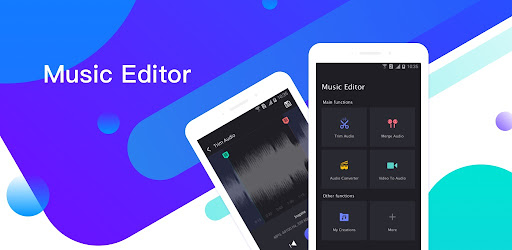

Music Editor
Last update -----
Скачать позже
Найти все материалы
Нужен мод
Нужен оригинал Пожаловаться
Overview Authors 0
Discussion 0
Versatile audio editing and ringtone creation tool
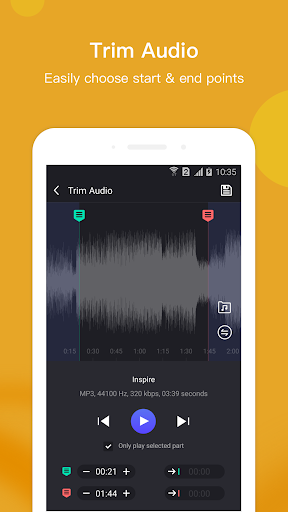
Music Editor is a comprehensive audio editing application that serves as an MP3 cutter, ringtone maker, and song editor. It allows users to extract specific parts of music to create custom ringtones, alarm tones, and notification sounds. Beyond simple trimming, the app offers a wide range of features to manipulate and enhance audio files.
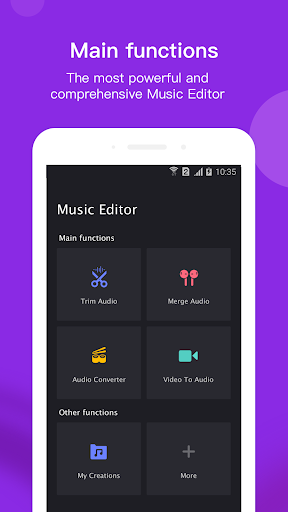
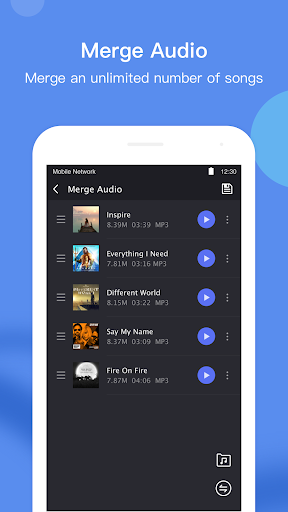
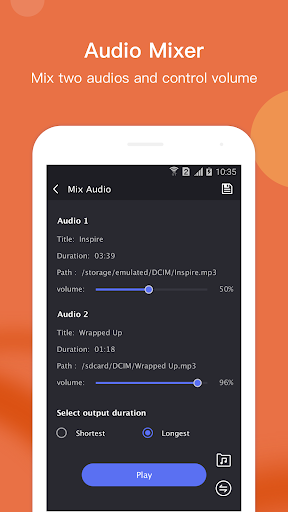
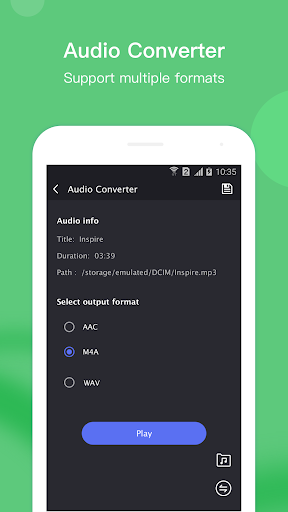
Users can merge multiple audio files into one, convert between various audio formats such as AAC to MP3 or M4A to MP3, and even extract audio from video files. The app also includes tools to compress audio quality, edit metadata like title and artist, adjust volume levels, and mix two songs together. Additional functionalities include splitting audio into parts, reversing audio, changing playback speed, removing or muting specific sections, and boosting volume.
All processed files are stored in a My Creations section, where users can re-edit, delete, or share their work. The app is designed to be user-friendly and completely free, providing a full suite of audio editing tools for both casual and advanced users. Feedback is encouraged via email to continually improve the experience.
With its extensive feature set, Music Editor stands out as a powerful and versatile tool for anyone looking to edit audio on their mobile device. Whether you're creating ringtones, converting formats, or fine-tuning sound, this app offers a seamless and efficient solution.
Users can merge multiple audio files into one, convert between various audio formats such as AAC to MP3 or M4A to MP3, and even extract audio from video files. The app also includes tools to compress audio quality, edit metadata like title and artist, adjust volume levels, and mix two songs together. Additional functionalities include splitting audio into parts, reversing audio, changing playback speed, removing or muting specific sections, and boosting volume.
All processed files are stored in a My Creations section, where users can re-edit, delete, or share their work. The app is designed to be user-friendly and completely free, providing a full suite of audio editing tools for both casual and advanced users. Feedback is encouraged via email to continually improve the experience.
With its extensive feature set, Music Editor stands out as a powerful and versatile tool for anyone looking to edit audio on their mobile device. Whether you're creating ringtones, converting formats, or fine-tuning sound, this app offers a seamless and efficient solution.
Screenshots
Download Music Editor
No builds here yet
No builds yet. Upload yours first and earn from every download — it's easier than you think.

PRO Modder
Bubalex88
165
Builds
11
Subscribers
6
Level

PRO webdev
Shaman[Dev]
75
Builds
8
Subscribers
3
Level

PRO Modder
SliderEXE
13
Builds
0
Subscribers
1
Level
PRO Modder
A.F
4
Builds
0
Subscribers
0
Level

Modder
XaView
1
Builds
0
Subscribers
0
Level

User
JoelDroid
2
Builds
0
Subscribers
0
Level
User
user_908973
2
Builds
0
Subscribers
0
Level
User
Shiro & K
1
Builds
0
Subscribers
0
Level
{%lang-empty-page%}
{%lang-empty-page-text%}
{%lang-empty-page-text-2%}
Tech info
Updated
-----
Version
7.5.1 (749)
CPU
Minimum Android version
24
Size
47.72 MB
OpenGL
----
Downloads
3.01 K
Developer
Binghuo Studio
Views today
1