Pydroid 3 - IDE for Python 3
Last update -----
Скачать позже
Найти все материалы
Нужен мод
Нужен оригинал Пожаловаться
Overview Authors 0
Discussion 1
Powerful Python 3 IDE for Android
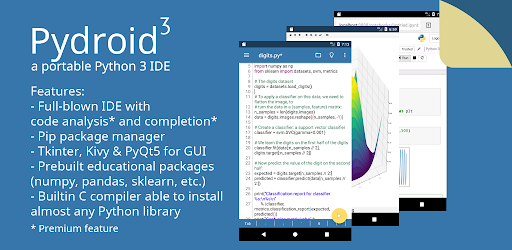
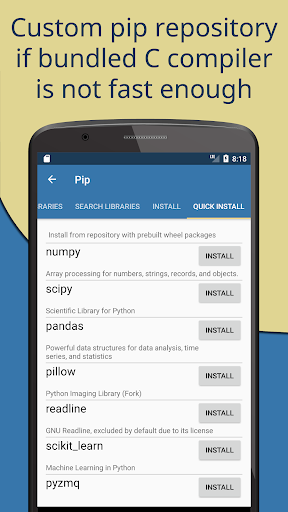
Pydroid 3 is a powerful and easy-to-use Python 3 IDE for Android, designed for both learning and development. It provides an offline Python 3 interpreter, so you can run Python programs without an Internet connection. The app includes a Pip package manager and a custom repository for prebuilt wheel packages, making it easy to install scientific libraries like numpy, scipy, matplotlib, scikit-learn, and jupyter. Advanced libraries such as OpenCV, TensorFlow, and PyTorch are also available, though some features require the Premium version.
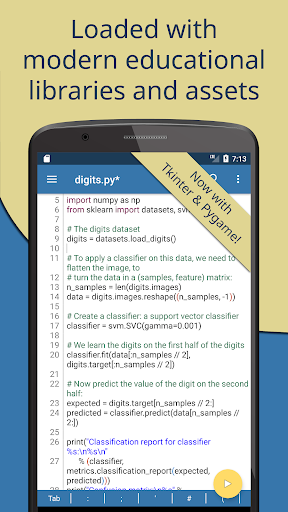
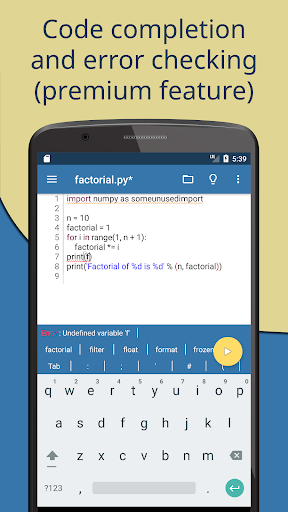
The editor is packed with features to enhance your coding experience. It offers code prediction, auto-indentation, and real-time code analysis, similar to a full-fledged IDE. The extended keyboard bar provides all the symbols you need for Python programming, and syntax highlighting with themes makes code more readable. Tabs and enhanced code navigation with interactive assignment and definition gotos help you manage multiple files efficiently. You can also share your code on Pastebin with one click.
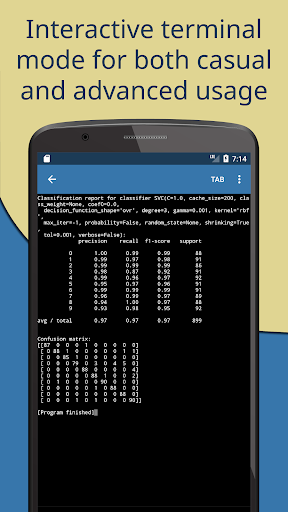
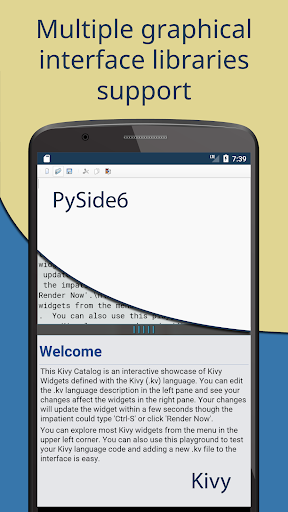
Pydroid 3 supports a wide range of libraries and frameworks. It includes complete Tkinter support for GUI development, Kivy with a shiny new SDL2 backend, PySide6, and pygame 2. The built-in C, C++, and Fortran compiler allows you to build any library from pip, even those with native code. Cython support and a PDB debugger with breakpoints and watches are also included. The terminal emulator with readline support provides a full command-line experience.
To get started, ensure your device has at least 250MB of free internal memory, though 300MB or more is recommended if you plan to use heavy libraries like scipy. Debugging is easy: simply click on the line number to set breakpoints. The app detects frameworks like Kivy, PySide6, and pygame automatically, and you can use special modes like "#Pydroid run terminal" to control execution. Pydroid 3 prioritizes porting scientific libraries to help you learn Python 3 programming effectively.
The editor is packed with features to enhance your coding experience. It offers code prediction, auto-indentation, and real-time code analysis, similar to a full-fledged IDE. The extended keyboard bar provides all the symbols you need for Python programming, and syntax highlighting with themes makes code more readable. Tabs and enhanced code navigation with interactive assignment and definition gotos help you manage multiple files efficiently. You can also share your code on Pastebin with one click.
Pydroid 3 supports a wide range of libraries and frameworks. It includes complete Tkinter support for GUI development, Kivy with a shiny new SDL2 backend, PySide6, and pygame 2. The built-in C, C++, and Fortran compiler allows you to build any library from pip, even those with native code. Cython support and a PDB debugger with breakpoints and watches are also included. The terminal emulator with readline support provides a full command-line experience.
To get started, ensure your device has at least 250MB of free internal memory, though 300MB or more is recommended if you plan to use heavy libraries like scipy. Debugging is easy: simply click on the line number to set breakpoints. The app detects frameworks like Kivy, PySide6, and pygame automatically, and you can use special modes like "#Pydroid run terminal" to control execution. Pydroid 3 prioritizes porting scientific libraries to help you learn Python 3 programming effectively.
Screenshots
Download Pydroid 3 - IDE for Python 3
No builds here yet
No builds yet. Upload yours first and earn from every download — it's easier than you think.

PRO Modder
Bubalex88
168
Builds
13
Subscribers
6
Level

PRO webdev
Shaman[Dev]
76
Builds
8
Subscribers
3
Level

PRO Modder
SliderEXE
13
Builds
0
Subscribers
1
Level
PRO Modder
A.F
4
Builds
0
Subscribers
0
Level

Modder
XaView
1
Builds
0
Subscribers
0
Level

User
JoelDroid
2
Builds
0
Subscribers
0
Level
User
user_908973
2
Builds
0
Subscribers
0
Level
User
Shiro & K
1
Builds
0
Subscribers
0
Level
Tech info
Updated
-----
Version
Varies with device (1131)
CPU
Minimum Android version
20
Size
64.7 MB
OpenGL
----
Downloads
19.77 K
Developer
Lider Soft KZ
Views today
1