
Screen Recorder - AZ Recorder
Last update -----
Скачать позже
Найти все материалы
Нужен мод
Нужен оригинал Пожаловаться
Overview Authors 0
Discussion 36
High-quality screen recorder with audio and editor
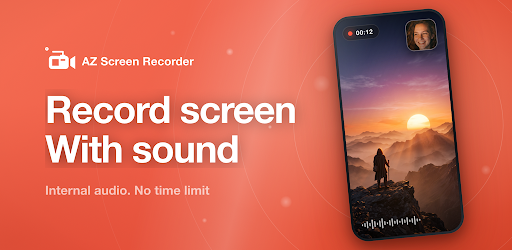
AZ Screen Recorder is a reliable and high-quality screen recorder with audio. It offers a wide range of features including screen recording, screen capture, video editing, and live streaming. This app lets you create and share gameplay videos, save video calls, or record videos that cannot be downloaded. It is easy to use, produces high-quality videos, and has no watermark or time limit.
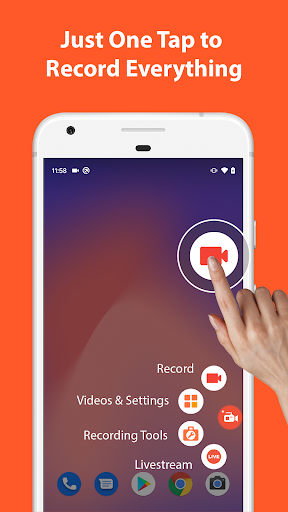
The app provides powerful screen recording capabilities. You can easily start and stop recording with control buttons, pause and resume at any time, and record audio from the mic or internal audio. It also supports facecam in a floating window, recording to GIF, drawing on screen while recording, and shaking the device to stop recording. Additionally, you can transfer screenshots and videos to a computer using WiFi.
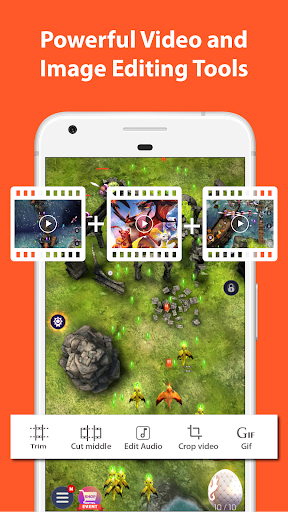
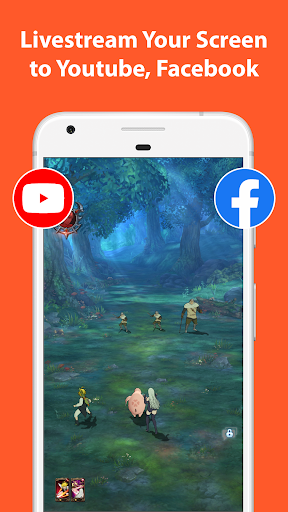
Beyond recording, AZ Screen Recorder includes a video editor that lets you trim, merge, and crop videos, remove middle parts, add background music and subtitles, extract frames, rotate, and compress videos. It also functions as a live streaming app for YouTube or Facebook, allowing you to broadcast your phone screen with audio and optionally show your face. The app also offers screenshot and image editing tools such as stitching, cropping, blurring, and adding text or emojis.
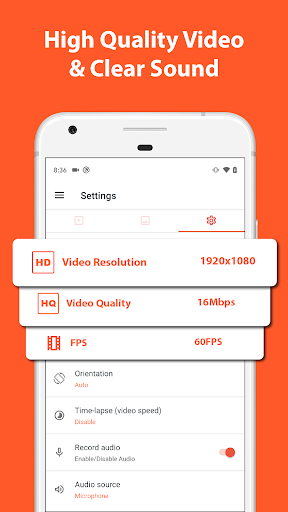
This screen recorder is multi-purpose and suitable for various needs. It can record video calls, gameplay, and internal audio. With support for resolutions from HD to 4K and frame rates up to 60fps, it is an excellent choice for gaming. If you enjoy the free version, you can upgrade to remove ads and support development. For feedback or suggestions, contact az.screen.recorder@gmail.com.
The app provides powerful screen recording capabilities. You can easily start and stop recording with control buttons, pause and resume at any time, and record audio from the mic or internal audio. It also supports facecam in a floating window, recording to GIF, drawing on screen while recording, and shaking the device to stop recording. Additionally, you can transfer screenshots and videos to a computer using WiFi.
Beyond recording, AZ Screen Recorder includes a video editor that lets you trim, merge, and crop videos, remove middle parts, add background music and subtitles, extract frames, rotate, and compress videos. It also functions as a live streaming app for YouTube or Facebook, allowing you to broadcast your phone screen with audio and optionally show your face. The app also offers screenshot and image editing tools such as stitching, cropping, blurring, and adding text or emojis.
This screen recorder is multi-purpose and suitable for various needs. It can record video calls, gameplay, and internal audio. With support for resolutions from HD to 4K and frame rates up to 60fps, it is an excellent choice for gaming. If you enjoy the free version, you can upgrade to remove ads and support development. For feedback or suggestions, contact az.screen.recorder@gmail.com.
Screenshots

Download Screen Recorder - AZ Recorder
No builds here yet
No builds yet. Upload yours first and earn from every download — it's easier than you think.

PRO Modder
Bubalex88
168
Builds
13
Subscribers
6
Level

PRO webdev
Shaman[Dev]
76
Builds
8
Subscribers
3
Level

PRO Modder
SliderEXE
13
Builds
0
Subscribers
1
Level
PRO Modder
A.F
4
Builds
0
Subscribers
0
Level

Modder
XaView
1
Builds
0
Subscribers
0
Level

User
JoelDroid
2
Builds
0
Subscribers
0
Level
User
user_908973
2
Builds
0
Subscribers
0
Level
User
Shiro & K
1
Builds
0
Subscribers
0
Level
При записи видео С экрана во время видео звонка ваттсапе вылетает ваттсап, скачал все приложения которые существуют , тоже самое
0
Reply Tech info
Updated
-----
Version
6.9.10 (70380)
CPU
Minimum Android version
21
Size
82.78 MB
OpenGL
----
Downloads
348.12 K
Developer
AZ Screen Recorder
Views today
5