
Sculpt+
Last update -----
Скачать позже
Найти все материалы
Нужен мод
Нужен оригинал Пожаловаться
Overview Authors 0
Discussion 2
Portable 3D sculpting and painting studio
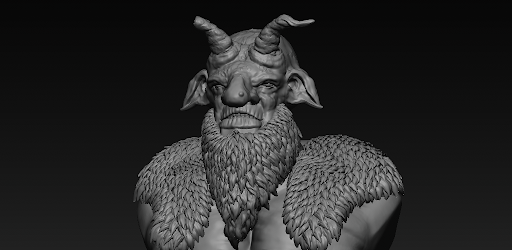
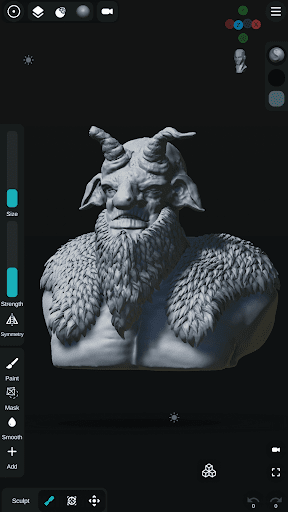
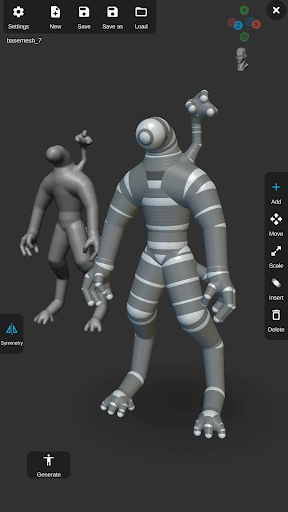
Sculpt+ is a digital 3D sculpting and painting app that brings desktop-level modeling tools to your smartphone or tablet. Whether you are a professional 3D artist, a game developer, or a hobbyist, Sculpt+ offers an intuitive workflow for creating stunning 3D art on the go. Build base meshes from scratch, sketch complex concepts, and detail your models with high-resolution sculpting and PBR rendering.
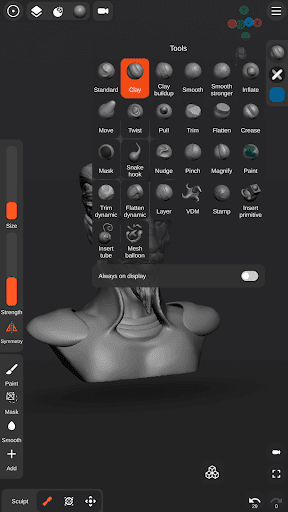
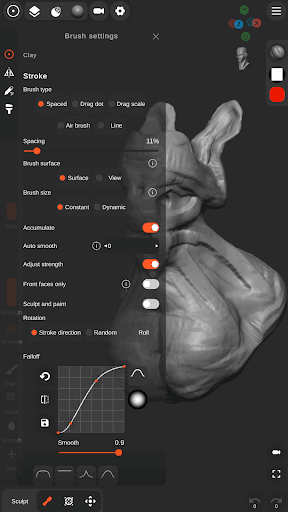
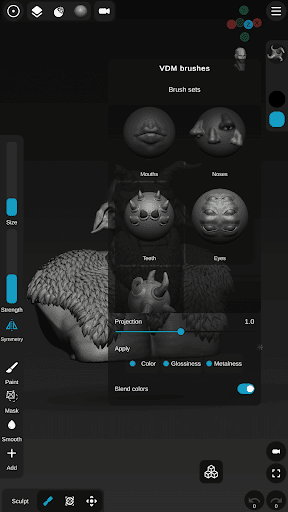
The app features powerful sculpting and painting tools, including advanced brushes like Standard, Clay, Smooth, Mask, Inflate, Move, Trim, Flatten, and Crease. You can also use custom VDM brushes or create your own for intricate detailing. Vertex painting adds color and texture to your models, while stylus support with pressure sensitivity gives you precise control. Customize stroke falloff, alpha, and behavior for perfect application.
For mesh building, Sculpt+ offers a base mesh builder inspired by zSpheres, allowing you to quickly sketch full-body armatures. Voxel remeshing and subdivisions maintain even topology or add ultra-fine details. Boolean operations let you combine, carve, or intersect meshes, and mesh decimation optimizes polygon count for game engines or 3D printing. Start with primitives like spheres, cubes, planes, cones, cylinders, and torus.
Scene customization includes PBR rendering, dynamic lighting with directional, spot, and point lights, and reference image support. The customizable UI is designed for mobile and tablets. Import and export workflows support .OBJ, .STL, and .GLB files, as well as custom matcap, alpha, and HDRI textures. Export high-quality renders as JPEG or PNG, or generate 360-degree turntable GIFs. Auto-save protection ensures your work is never lost. Start shaping your ideas today with Sculpt+.
The app features powerful sculpting and painting tools, including advanced brushes like Standard, Clay, Smooth, Mask, Inflate, Move, Trim, Flatten, and Crease. You can also use custom VDM brushes or create your own for intricate detailing. Vertex painting adds color and texture to your models, while stylus support with pressure sensitivity gives you precise control. Customize stroke falloff, alpha, and behavior for perfect application.
For mesh building, Sculpt+ offers a base mesh builder inspired by zSpheres, allowing you to quickly sketch full-body armatures. Voxel remeshing and subdivisions maintain even topology or add ultra-fine details. Boolean operations let you combine, carve, or intersect meshes, and mesh decimation optimizes polygon count for game engines or 3D printing. Start with primitives like spheres, cubes, planes, cones, cylinders, and torus.
Scene customization includes PBR rendering, dynamic lighting with directional, spot, and point lights, and reference image support. The customizable UI is designed for mobile and tablets. Import and export workflows support .OBJ, .STL, and .GLB files, as well as custom matcap, alpha, and HDRI textures. Export high-quality renders as JPEG or PNG, or generate 360-degree turntable GIFs. Auto-save protection ensures your work is never lost. Start shaping your ideas today with Sculpt+.
Screenshots
Download Sculpt+
No builds here yet
No builds yet. Upload yours first and earn from every download — it's easier than you think.

PRO Modder
Bubalex88
166
Builds
13
Subscribers
6
Level

PRO webdev
Shaman[Dev]
76
Builds
8
Subscribers
3
Level

PRO Modder
SliderEXE
13
Builds
0
Subscribers
1
Level
PRO Modder
A.F
4
Builds
0
Subscribers
0
Level

Modder
XaView
1
Builds
0
Subscribers
0
Level

User
JoelDroid
2
Builds
0
Subscribers
0
Level
User
user_908973
2
Builds
0
Subscribers
0
Level
User
Shiro & K
1
Builds
0
Subscribers
0
Level
Tech info
Updated
-----
Version
2026.3.31 (964)
CPU
Minimum Android version
22
Size
92 MB
OpenGL
----
Downloads
19.27 K
Developer
Endvoid
Views today
10