Smallpdf: Scanner & PDF Editor
Last update -----
Скачать позже
Найти все материалы
Нужен мод
Нужен оригинал Пожаловаться
Overview Authors 0
Discussion 0
All-in-one PDF editor and document organizer
Smallpdf is a comprehensive PDF tool designed to simplify document management. It allows you to convert, compress, edit, sign, merge, split, and scan PDFs with ease. Trusted by over 1.7 billion people since 2013, the app offers a seamless PDF experience on your device.
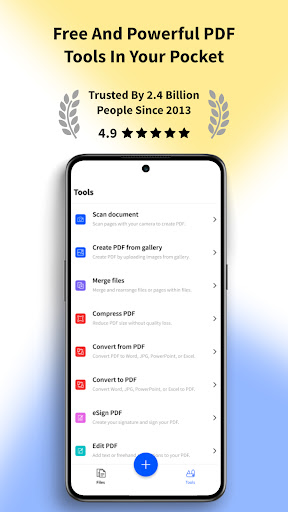
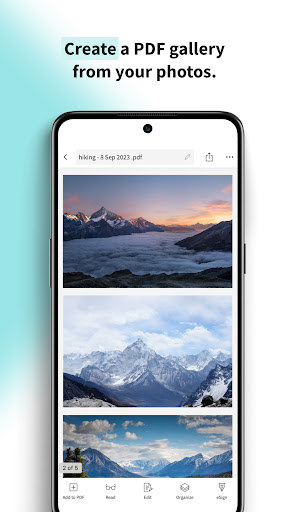
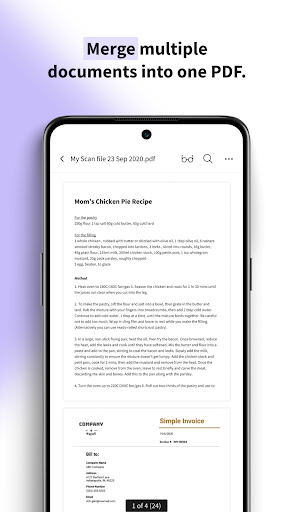
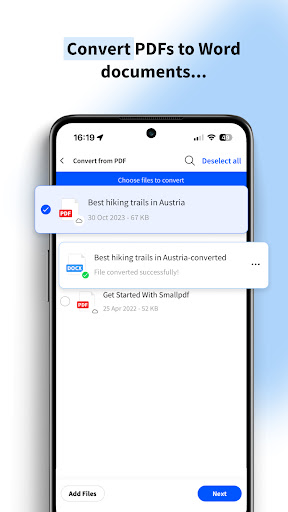
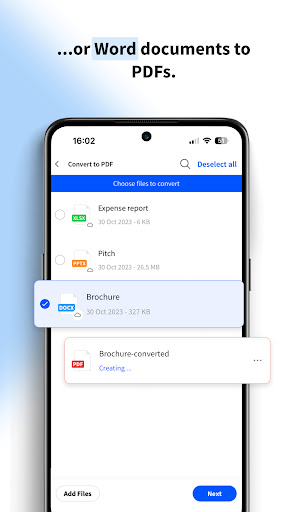
Key features include converting PDFs to and from various formats like Word, Excel, PowerPoint, JPG, and PNG. You can edit text, images, and links directly in your PDFs, add annotations, highlights, and comments, and rotate, delete, or rearrange pages. The app also compresses PDFs without quality loss, adds e-signatures, and enables merging and splitting of files. Additionally, you can scan documents using your camera and convert them into editable text with OCR technology.
Smallpdf boasts a user-friendly interface and integrates with cloud services like Google Drive and Dropbox. It prioritizes privacy by deleting uploaded files after one hour and complies with GDPR standards. Available on iOS, Android, and desktop, it ensures fast and reliable processing wherever you are.
Additional tools include a PDF reader, scanner, filler, maker, and annotator. The app is free to use with one daily task, and a PRO subscription offers unlimited conversions with a free 7-day trial, starting at $7.99 per month. Join millions of satisfied users and simplify your PDF tasks today.
Key features include converting PDFs to and from various formats like Word, Excel, PowerPoint, JPG, and PNG. You can edit text, images, and links directly in your PDFs, add annotations, highlights, and comments, and rotate, delete, or rearrange pages. The app also compresses PDFs without quality loss, adds e-signatures, and enables merging and splitting of files. Additionally, you can scan documents using your camera and convert them into editable text with OCR technology.
Smallpdf boasts a user-friendly interface and integrates with cloud services like Google Drive and Dropbox. It prioritizes privacy by deleting uploaded files after one hour and complies with GDPR standards. Available on iOS, Android, and desktop, it ensures fast and reliable processing wherever you are.
Additional tools include a PDF reader, scanner, filler, maker, and annotator. The app is free to use with one daily task, and a PRO subscription offers unlimited conversions with a free 7-day trial, starting at $7.99 per month. Join millions of satisfied users and simplify your PDF tasks today.
Screenshots
Download Smallpdf: Scanner & PDF Editor
No builds here yet
No builds yet. Upload yours first and earn from every download — it's easier than you think.

PRO Modder
Bubalex88
168
Builds
13
Subscribers
6
Level

PRO webdev
Shaman[Dev]
76
Builds
8
Subscribers
3
Level

PRO Modder
SliderEXE
13
Builds
0
Subscribers
1
Level
PRO Modder
A.F
4
Builds
0
Subscribers
0
Level

Modder
XaView
1
Builds
0
Subscribers
0
Level

User
JoelDroid
2
Builds
0
Subscribers
0
Level
User
user_908973
2
Builds
0
Subscribers
0
Level
User
Shiro & K
1
Builds
0
Subscribers
0
Level
{%lang-empty-page%}
{%lang-empty-page-text%}
{%lang-empty-page-text-2%}
Tech info
Updated
-----
Version
3.4.0 (210972952)
CPU
Minimum Android version
32
Size
129.74 MB
OpenGL
----
Downloads
14
Developer
Smallpdf AG
Views today
3