
YouTube Kids
Last update -----
Скачать позже
Найти все материалы
Нужен мод
Нужен оригинал Пожаловаться
Overview Authors 0
Discussion 0
Safe video exploration for kids
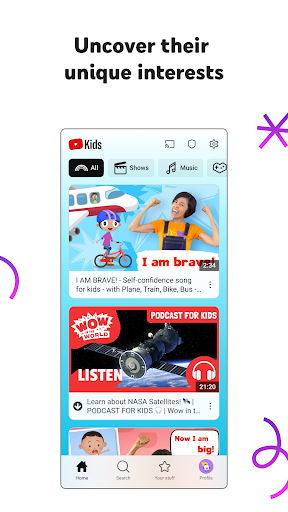
This app is designed to help children discover their interests in a secure environment. Parents can trust that their kids are exploring content that is appropriate and enriching, with easy navigation tools that make it simple for young users to find videos they love. The app encourages kids to unleash their imagination and build confidence as they uncover new passions.
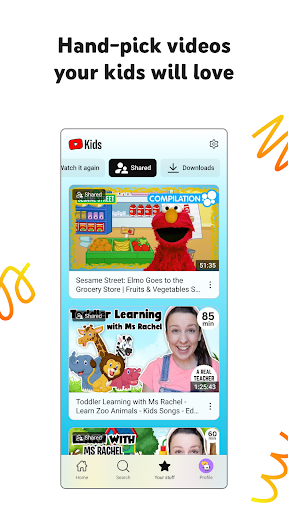
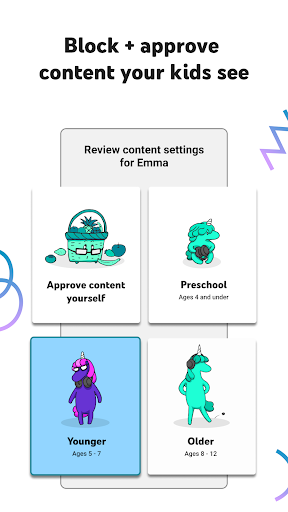
Every child is unique, so the app offers personalized profiles with custom content filters that grow with your child. Whether your little one is learning ABCs in Preschool mode, exploring songs and cartoons in Younger mode, or searching for popular music and gaming videos in Older mode, there is a setting for every stage. For ultimate control, parents can hand-pick videos, channels, and collections in Approved Content Only mode.
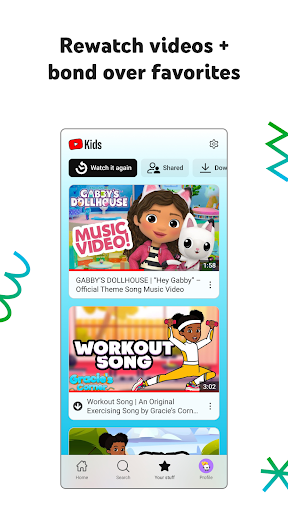
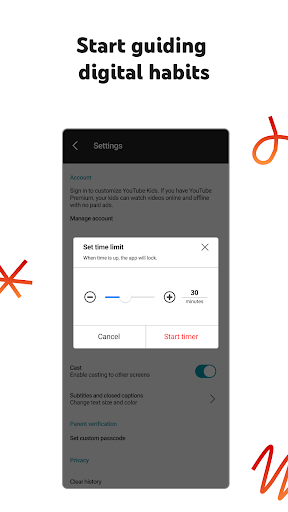
Parental controls allow you to shape your child's viewing experience by limiting what they watch and guiding their journey. You can also set screen-time limits with the Timer feature, which freezes the app when time is up, encouraging kids to take breaks and apply their new skills offline. The Watch it Again tab makes it easy to revisit favorite videos and shared content, fostering bonding over beloved shows.
The app prioritizes safety, with a blocking process to keep videos family-friendly. If you encounter inappropriate content, you can flag it for review. Parental setup is required for the best experience, and commercial content from creators may appear. Privacy notices are available for Google Accounts managed with Family Link and for those using the app without signing in.
Every child is unique, so the app offers personalized profiles with custom content filters that grow with your child. Whether your little one is learning ABCs in Preschool mode, exploring songs and cartoons in Younger mode, or searching for popular music and gaming videos in Older mode, there is a setting for every stage. For ultimate control, parents can hand-pick videos, channels, and collections in Approved Content Only mode.
Parental controls allow you to shape your child's viewing experience by limiting what they watch and guiding their journey. You can also set screen-time limits with the Timer feature, which freezes the app when time is up, encouraging kids to take breaks and apply their new skills offline. The Watch it Again tab makes it easy to revisit favorite videos and shared content, fostering bonding over beloved shows.
The app prioritizes safety, with a blocking process to keep videos family-friendly. If you encounter inappropriate content, you can flag it for review. Parental setup is required for the best experience, and commercial content from creators may appear. Privacy notices are available for Google Accounts managed with Family Link and for those using the app without signing in.
Screenshots
Download YouTube Kids
No builds here yet
No builds yet. Upload yours first and earn from every download — it's easier than you think.

PRO Modder
Bubalex88
179
Builds
20
Subscribers
6
Level

PRO webdev
Shaman[Dev]
76
Builds
12
Subscribers
3
Level

PRO Modder
SliderEXE
18
Builds
2
Subscribers
1
Level
PRO Modder
A.F
4
Builds
1
Subscribers
0
Level

User
Kgg
2
Builds
1
Subscribers
0
Level
User
user_908973
2
Builds
1
Subscribers
0
Level
User
Shiro & K
2
Builds
1
Subscribers
0
Level

Modder
XaView
1
Builds
1
Subscribers
0
Level

User
CUREseDkiD
0
Builds
0
Subscribers
0
Level
{%lang-empty-page%}
{%lang-empty-page-text%}
{%lang-empty-page-text-2%}
Tech info
Updated
-----
Version
Varies with device (170665084)
CPU
Minimum Android version
12L+
Size
74.01 MB
OpenGL
----
Downloads
55 862
Developer
Google LLC
Views today
25